PropSizer
Drag two lines, read the right lot size.
You drag an entry and a stop line, and one line shows the lot size for your risk, the money at stake and how much of the stop the spread eats. Plus a candle counter from the cash open and the next item from the MT5 calendar. Free, never places an order.
Free
Download from the MQL5 Market.
What it looks like on the chart
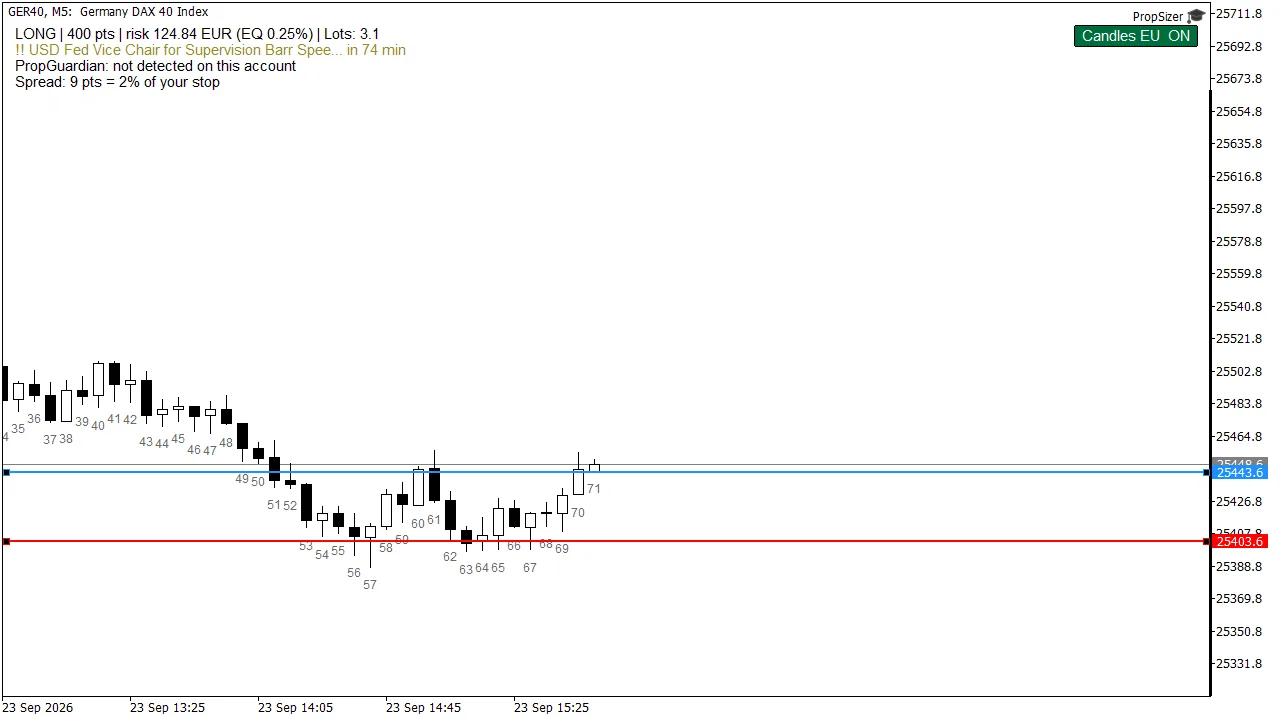
Long on the DAX
Entry and stop are in place, 400 points apart. At 0.25 percent risk that gives 3.1 lots, rounded down to the volume step. Candles are numbered from the 09:00 Frankfurt open.
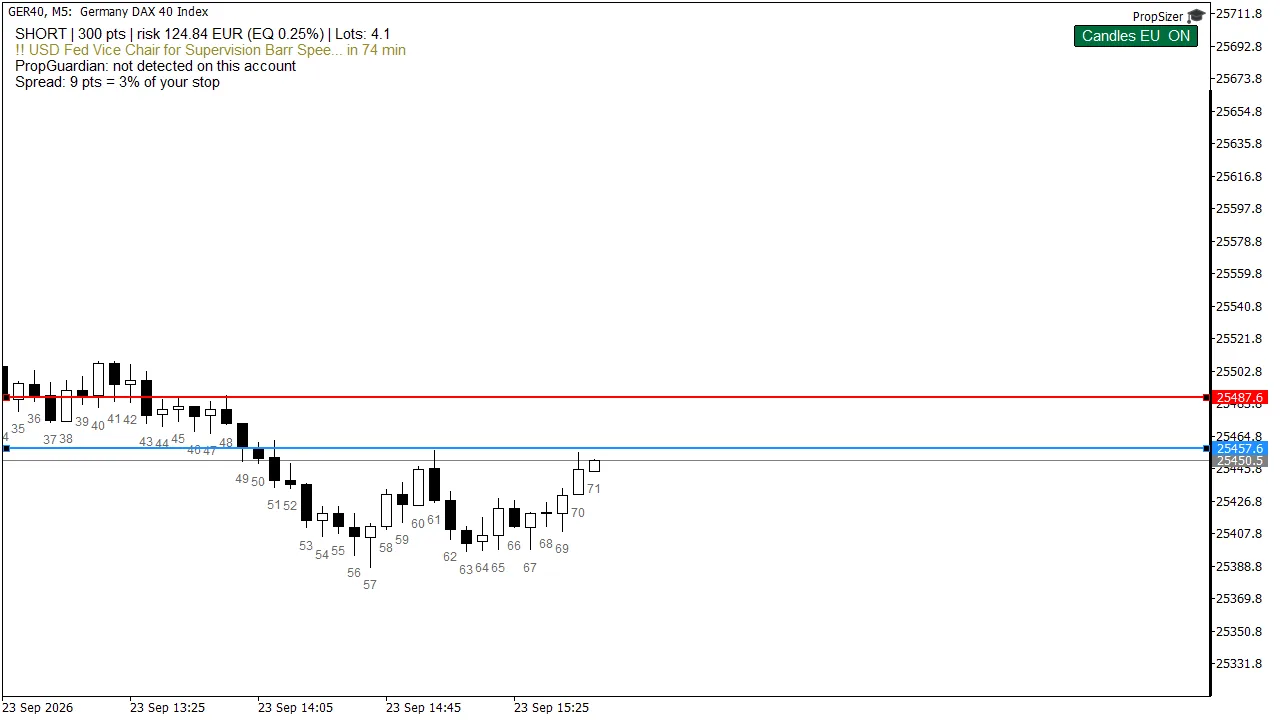
Direction from the lines
Drag the stop above the entry and the long becomes a short, the size follows. The spread line shows what share of the stop the spread already costs and turns red when the stop is too tight for it.
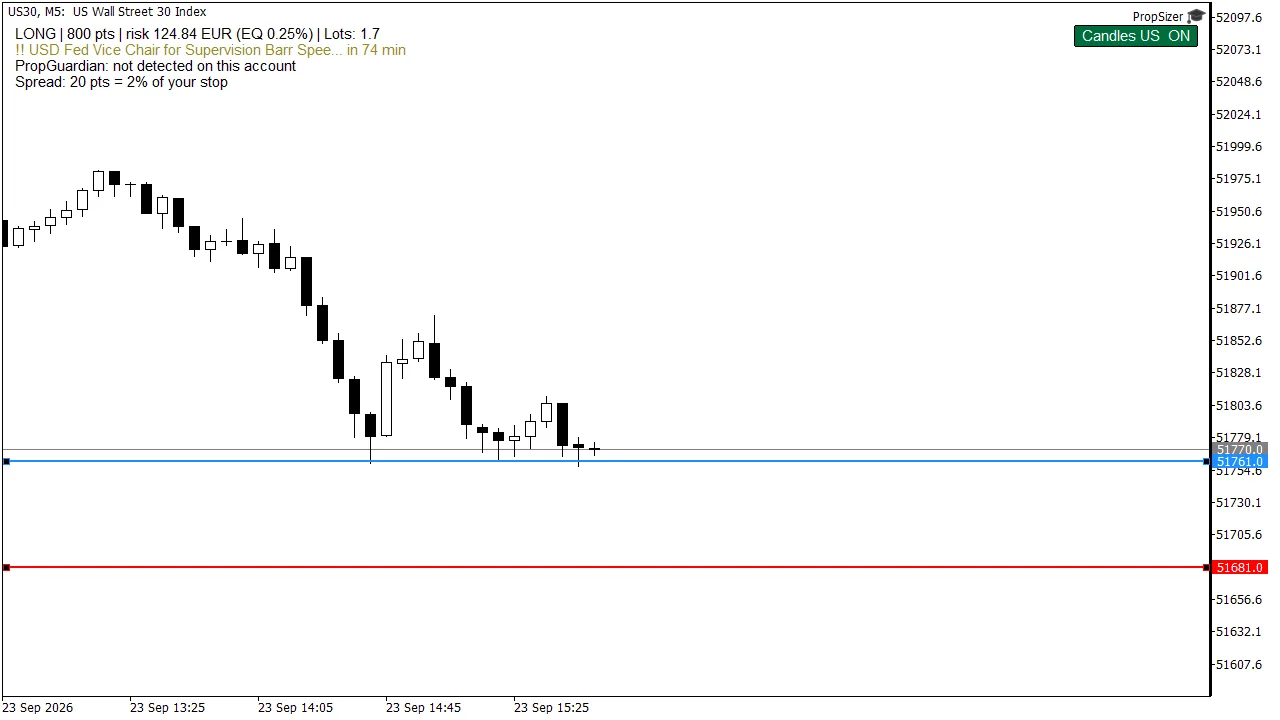
Dow with the US counter
On US indices the counter switches to the 09:30 New York open by itself, with daylight saving included. Before the cash open there is nothing to count yet.
What it does differently
Never rounded up
Lots are rounded down to the volume step. If even the minimum lot risks more than allowed, it says SKIP and shows the real risk.
Spread as a share of the stop
Red when the stop is too tight for this spread.
Shows the PropGuardian lock
While PropGuardian has locked the day, PropSizer shows 0 lots.
What it does not do
- It calculates and displays, you place the order yourself.
- The strategy tester has no economic calendar, and the news line says so.
What you need
- MetaTrader 5
- Any symbol, lots from your broker’s contract data
PropSizer · Free
Download from the MQL5 Market.
You have your own strategy and want it as an EA? I build it for you, tested on real ticks, with full source code.
From the same family
- PropGuardian · 79 USDCloses your positions before the prop firm closes your account.
- PropMirror · 59 USDOne trade on the master, the same position on each of your accounts.
- ForcedFlow · 149 USDTrades two flows in which someone has to buy or sell at a fixed time.
- PropCorrelation · freeShows whether your open positions are really one single bet.